
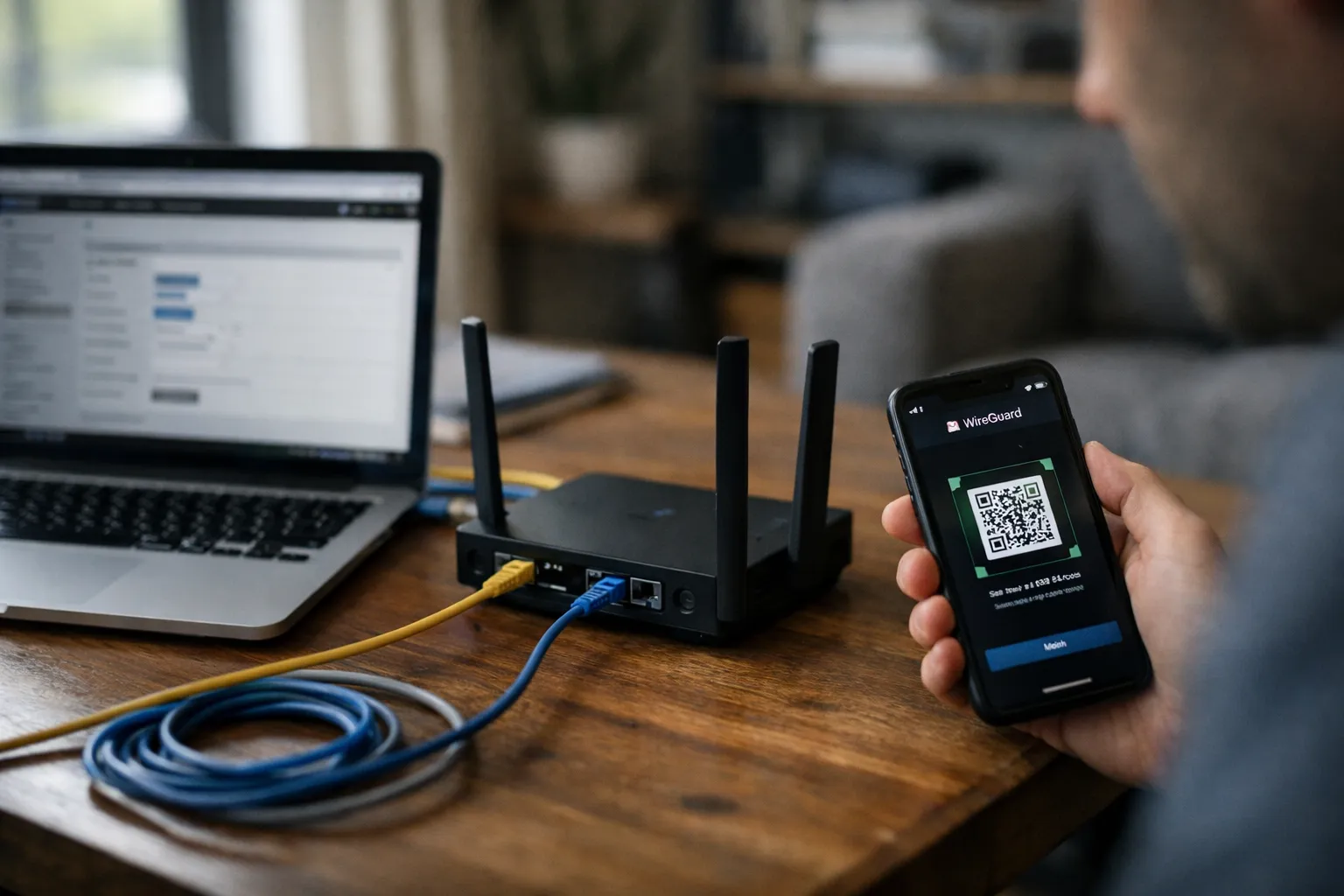
By Alex Rivera — June 2026 update. Running your own WireGuard VPN at home remains the best practical method for controlling remote access and minimizing third‑party trust. This update keeps the original how‑to structure but adds the latest trends and practical tweaks you need right now: wider IPv6 deployment, more routers with server-mode and crypto offload, mainstream router‑level encrypted DNS, hybrid post‑quantum options showing up in some vendors’ stacks, and simpler relay patterns for CGNAT.
What you'll learn: how to pick a router, guarantee reachability, harden admin and DNS, manage keys, build client configs for the right use case, test for leaks, and maintain a safe, performant home WireGuard server.
Who this is for: tech‑comfortable home users, VPN enthusiasts, and anyone who runs accessible services at home (NAS, Home Assistant, Plex). If you mainly want geo-spoofing for streaming, a commercial VPN is often simpler.
Prerequisites / context
- Router with WireGuard server support. As of mid‑2026, many mainstream consumer routers (stock firmware from Asus, Ubiquiti, Synology) and third‑party projects (OpenWrt, OPNsense, pfSense‑Plus) support WireGuard in server mode. Prefer devices using the kernel WireGuard implementation for performance.
- Admin access to your router (and to the ISP gateway or a willing ISP support agent if you need a public IP).
- Reachability plan: public IPv4, native IPv6 with prefix delegation, DDNS, or a small VPS for rendezvous/relay if you're behind Carrier‑Grade NAT (CGNAT).
- Basic network literacy: knowing your LAN subnet, how to edit firewall rules, and how to manage router firmware.
Why this matters: WireGuard's protocol is intentionally minimal; the device that runs it defines your attack surface and performance. Focus on the router admin plane, DNS, and key hygiene — these are where real attacks happen.
Step 1: Confirm your router can run WireGuard safely
- Verify true server mode. Some consumer firmware still exposes only client mode. Server support — including per‑peer configuration — is essential for multi‑device management.
- Prefer kernel module + crypto offload when possible. Kernel implementations (vs. userland) are far more efficient. Since 2024, more consumer SoCs include crypto acceleration; many 2024–2026 router models report multi‑hundreds of Mbps WireGuard throughput. If you need gigabit VPN speeds, consider an x86 gateway or a router with proven offload benchmarks.
- Harden admin access and firmware. Install stable firmware, enable signed firmware/secure boot where available, set strong admin passwords, enable multi‑factor authentication (MFA) for admin, and disable WAN web admin. If you’re uncomfortable with auto‑updates, set a monthly patch calendar and check vendor advisories.
Why this matters: a fast tunnel on a compromised router is worse than no tunnel. Think of the router as both front door and key‑maker.
Step 2: Solve reachability (CGNAT, IPv6, DDNS, relays)
- Check for CGNAT. If your WAN IP is in RFC6598 (100.64.0.0/10) or private space, you’re likely behind CGNAT and can't accept direct IPv4 inbound connections.
- Practical options:
- Ask the ISP for a public IPv4. Many ISPs will assign one on request or as a small paid add‑on — the simplest fix.
- Use native IPv6. IPv6 deployment has continued to grow; if your ISP supplies a global prefix and your router supports prefix delegation, host a reachable IPv6 address. Treat that address as public — firewall and harden it as you would IPv4.
- Deploy a small VPS as a rendezvous/relay. Renting a low‑cost VPS (DigitalOcean, Hetzner, Linode, etc.) and configuring it as a static WireGuard peer that forwards or routes traffic is a robust workaround for CGNAT and offers predictable uptime.
- Use zero‑trust overlays carefully. Services like Tailscale and ZeroTier simplify NAT traversal and access control. They trade some local control for convenience — excellent for many users, but evaluate their trust model for sensitive needs.
- Set up DDNS or use routed IPv6 names. Use dynamic DNS providers (DuckDNS, Cloudflare via API tokens) or map DNS names to a delegated IPv6. Routers commonly update DDNS automatically; prefer API‑based updates over username/password with plain text.
Why this matters: reachability is the core service guarantee. Don't enable broad UPnP or open management ports just to make remote access "easy."
Step 3: Create a clear network plan (subnets, scoping, IPv6)
- Pick non‑overlapping subnets. Example:
- Home LAN: 192.168.10.0/24
- WireGuard: 10.8.0.0/24 (server 10.8.0.1)
- Define per‑peer access scope. Create least‑privilege profiles:
- Device access: only the devices each peer needs.
- Split tunnel: only route home subnets through VPN.
- Full tunnel: route all traffic through home when on hostile networks.
- Plan for IPv6 explicitly. Decide whether you will route IPv6 through the tunnel, disable IPv6 on clients that can't be secured, or use firewall rules to block unintentional IPv6 egress. Half‑configured IPv6 is a common privacy bug in 2026.
Why this matters: the network plan is your safety blueprint. Think of AllowedIPs like “badges” that open specific rooms in your house.
Step 4: Generate and manage keys like physical keys
- Unique key pair per client. Create a separate private/public key pair for each device. Do not share keys across devices.
- Use an optional Pre‑Shared Key (PSK) for defense‑in‑depth. WireGuard supports symmetric PSKs per peer; they add an extra layer if a private key is exposed. PSKs are supplemental, not a replacement for rotation.
- Store keys securely and rotate when needed. Use OS secure storage or the official WireGuard apps. Keep an encrypted backup (GPG or a password manager vault). Revoke keys immediately when devices are lost or repurposed.
- Consider long‑term secrecy needs. For most home uses, prudent rotation (6–12 months) and PSKs are enough. If you require multi‑decade secrecy, investigate hybrid post‑quantum offerings; note these are often vendor‑specific wrappers rather than part of the WireGuard RFC.
Why this matters: a leaked config equals access. Treat private keys like house keys — rekey fast if they go missing.
Step 5: Configure the WireGuard server on the router
- Create the WireGuard interface. Allocate a dedicated subnet (10.8.0.1/24), choose a UDP port (51820 is common; a non‑standard port reduces background noise but not determined attacks).
- Add peers with narrow AllowedIPs. Assign /32 addresses for IPv4 peers or explicit IPv6 addresses. Narrow AllowedIPs limit what each peer can source or receive and reduce lateral movement if a peer is compromised.
- Use PersistentKeepalive only as needed. Set to 25s for clients behind NAT that need persistent reachability from the server side (e.g., mobile devices).
- Prefer kernel installations. Where supported, use the in‑kernel WireGuard implementation. On OpenWrt, use the wireguard kernel module and the luci app for management if available.
Why this matters: precise peer configs reduce blast radius. Treat AllowedIPs as the "what rooms this badge opens."
Step 6: Lock down firewall and routing
- Allow only the WireGuard UDP port from WAN. Create a single, specific WAN rule for the port and deny broad inbound access.
- Isolate VPN peers in their own zone or VLAN. If firmware supports zones or VLANs, place WireGuard clients there and only open explicit flows to LAN hosts and ports they need.
- Block router admin from VPN by default. If remote admin is necessary, create a dedicated management peer with strict AllowedIPs plus MFA and key‑only SSH or a jump host.
- Use per‑host ACLs to limit lateral movement. Replace "allow LAN" rules with specific allow rules: for example, "allow 10.8.0.5 → 192.168.10.50:445" for a NAS, and deny all other LAN access.
Why this matters: a VPN is effectively a visitor pass—only let them in where needed.
Step 7: Configure DNS safely (prevent DNS leaks)
- Choose a DNS strategy.
- Run your own resolver (Pi‑hole + Unbound, router resolver): best for local names and privacy.
- Use an encrypted public resolver (DoH: DNS over HTTPS, DoT: DNS over TLS) if you can't run your own. Providers like Cloudflare, NextDNS, and OpenDNS offer DoH/DoT endpoints.
- Push DNS via client configs. Set client DNS in the WireGuard configuration so lookups occur inside the tunnel. Avoid relying on client OS auto‑discovery.
- Enable router‑level encrypted DNS. By 2026, many routers expose DoH/DoT options; terminate encrypted DNS at the router to reduce ISP observation and blunt DNS hijacks.
- Validate from multiple networks. Test DNS resolution from cellular and public Wi‑Fi to ensure queries hit the intended resolver.
Why this matters: DNS leaks are the most common privacy failure. Push DNS through your tunnel and verify.
Step 8: Build client configs for real use cases
AllowedIPs control whether traffic routes over the VPN. Pick deliberately:
Option A: Split tunnel (recommended default)
- Client AllowedIPs: 10.8.0.0/24 and specific LANs (e.g., 192.168.10.0/24)
- Result: only traffic destined for your home network goes over the VPN; everything else uses the client's local internet.
Option B: Full tunnel (for hostile networks)
- Client AllowedIPs: 0.0.0.0/0, ::/0
- Result: all traffic routes through home. Use when you need privacy on public Wi‑Fi, but expect higher latency and possible content geo‑differences.
Why this matters: full‑tunnel by default can increase home attack surface and cause unexpected performance impacts. Match the tunnel type to the task.
Step 9: Test like you mean it
- Connectivity: From mobile data or a friend’s network, connect and ping the server and internal hosts.
- DNS leak test: Use public leak testers and command‑line queries (dig, nslookup) to confirm queries hit your resolver.
- Public IP check: For full‑tunnel, verify the public IP reflects your home egress.
- IPv6 test: If enabled, run IPv6 leak checks and verify expected routing.
- Service access: Log into your NAS, Home Assistant, or other hosts to confirm ACLs and ports work as intended.
Why this matters: “It connected” isn't enough. Check DNS, IPv6, and actual service access from at least two independent networks.
Step 10: Ongoing maintenance
- Patch router firmware monthly. Many incidents trace back to unpatched network gear.
- Rotate/revoke keys when devices change hands. Immediately remove unknown peers.
- Disable UPnP/universal remote mapping. If a device needs a port, create explicit rules instead of broad automatic mappings.
- Use strong admin credentials and MFA.
- Log and monitor. Export syslog to a local collector or cloud service. Watch for unknown handshake fingerprints, repeated failed handshakes, or unfamiliar public keys.
- Prepare a recovery plan. Keep encrypted backups of configs and an inventory of peers to speed recovery after a compromise.
New mid‑2026 considerations and trends
- Router vendors matured server support and offload. More consumer devices now handle WireGuard server mode and hardware crypto acceleration. For typical home use this reduces the need for a separate gateway, but verify model‑specific throughput before relying on the router for heavy traffic.
- Encrypted DNS at the router is mainstream. DoH/DoT termination on the router is now common and should be enabled unless you have a specific reason not to.
- Hybrid post‑quantum options appearing. Some appliance vendors and managed VPN products offer hybrid key exchanges that combine classical (Curve25519) and post‑quantum algorithms (e.g., Kyber variants) to protect long‑term secrecy. These are vendor extensions or endpoint wrappers rather than changes to the WireGuard RFC; evaluate implementation detail and interoperability before relying on them.
- Managed zero‑trust services are more capable. Tailscale, ZeroTier, and similar services now include access controls and device posture checks. They’re excellent for small teams or users who prefer a managed control plane, but they entail a different trust model than self‑hosting.
- Attackers still target router admin and DNS. Incident reports through 2025–2026 continue to show router admin compromise and DNS hijacks are the dominant vectors — so hardening admin and DNS yields higher security returns than port‑hopping.
Common mistakes (and how to avoid them)
- Reusing one key across devices. Fix: create unique peers so you can revoke one without breaking others.
- Allowing router admin over VPN by default. Fix: block admin from VPN and create a dedicated management peer if needed.
- Overly broad firewall rules. Fix: adopt deny‑by‑default and explicit allow rules.
- Ignoring IPv6. Fix: decide IPv6 behavior, implement firewalling, and test.
- Relying on port‑obscurity as security. Fix: focus on keys, firmware patching, and tight firewall rules.
Pro tips
- VLAN the VPN clients. Put VPN clients on a separate VLAN and open only required ports to main LAN.
- Egress filtering for full‑tunnel peers. If clients route internet through your home, add outbound filtering and logging to reduce abuse risk from compromised devices.
- Enforce endpoint hygiene. VPNs don't replace endpoint security. Use disk encryption, passcodes, and keep devices patched.
- Automate ephemeral configs for mobile devices. Use short‑lived configs or automated provisioning (a small management script or Ansible playbook) for devices that change frequently.
- Test recovery frequently. Simulate key revocation and restore from encrypted backups at least twice a year.
FAQ
Is a home WireGuard VPN better than a commercial VPN service?
They solve different problems. A home WireGuard VPN is ideal for secure remote access to your devices and for preserving control over your traffic. Commercial VPNs are better when you need exit points in other countries, scale, or anonymity from your ISP. Home VPNs reduce third‑party trust but do not make you anonymous — your ISP still sees traffic leaving your home.
Should I route IPv6 through the VPN?
Only if you can do it correctly. Native IPv6 is common; if you enable IPv6 and don’t route it through the VPN, clients can leak traffic. Options: route ::/0 over the tunnel, disable IPv6 on clients, or implement firewall rules to prevent leaks. Test from multiple networks.
What's the easiest fix for CGNAT in 2026?
Request a public IPv4 from your ISP if available — it's the simplest. If not possible, use native IPv6 or deploy a small VPS as a static rendezvous/relay. Zero‑trust overlays like Tailscale are convenient but change the trust model.
How often should I rotate keys?
Rotate keys when a device is lost or shows suspicious behavior. For routine maintenance, every 6–12 months is reasonable for most homes; shorten intervals for higher risk. Always revoke compromised peers immediately.
Can I run a commercial VPN and my home WireGuard simultaneously?
Yes. Devices can run a commercial VPN while others use your WireGuard server. Be mindful of routing: overlapping AllowedIPs or default routes can route traffic through the wrong interface. Keep routing rules explicit and test each device.
Final note from me, Alex Rivera: WireGuard is a clean, fast tool — but security is the ecosystem around it: the router, DNS, and key hygiene. Harden those, test from multiple networks, and treat each peer like a guest with a limited badge. Do that, and your home VPN will be a practical security win instead of a liability.