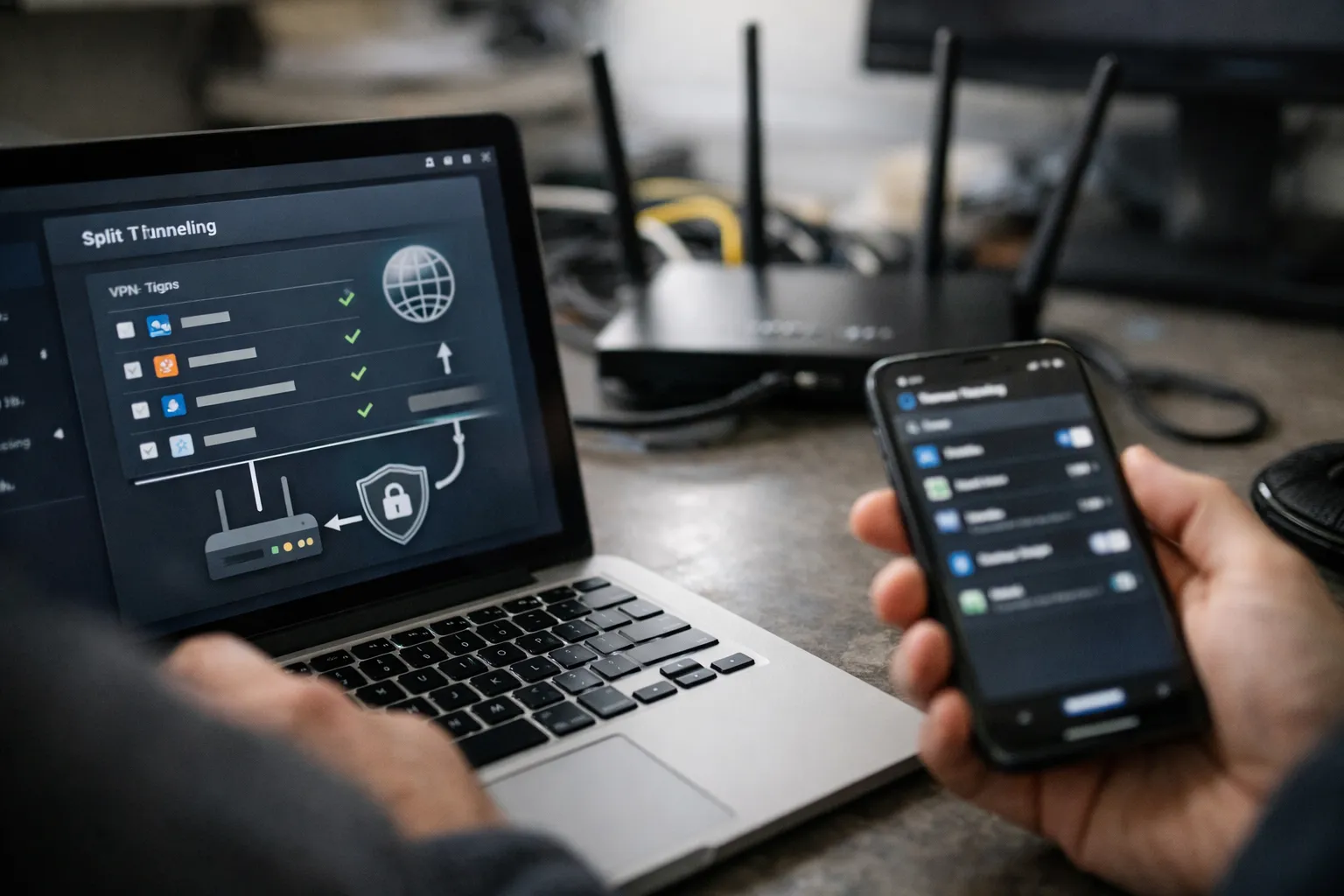
Split‑tunneling—sending only selected traffic through a VPN while leaving the rest on the local path—remains essential for balancing privacy, latency and access to local services. This updated guide (September 2026) keeps the original device‑by‑device approach but adds current practices: eBPF-based packet steering, nftables examples, DoH/DoT considerations, increasingly relevant ECH effects on domain routing, and practical testing/automation tools now commonly used by VPN enthusiasts.
Who this is for and why it matters
This article is for technically literate VPN users and home lab admins who want robust, maintainable split‑tunneling across phones, laptops, containers and home routers. By the end you will be able to: choose the right method for each device; implement nftables/eBPF marks or per‑app VPNs; handle DNS and IPv6 safely; and put monitoring and automation in place so split rules remain correct as CDN/IP ranges and TLS behavior evolve.
Prerequisites / Context
Before you begin:
- Familiarity with basic Linux networking (ip rule, ip route, routing tables) or the equivalent GUI in pfSense/OPNsense.
- WireGuard or an equivalent modern VPN (WireGuard is the most common choice for personal VPNs in 2026).
- For router work: access to OpenWRT/OPNsense/pfSense or a home router that supports policy routing or custom firmware.
- Understanding of DNS over HTTPS (DoH) / DNS over TLS (DoT) and IPv6 basics—both are commonly involved in leaks.
- Basic scripting skills (shell, cron/systemd timers) for automation and maintenance.
What’s changed since July 2026 (quick list)
- eBPF and cgroup2‑based socket classification are now practical on mainstream Linux kernels for per‑process/per‑container routing—lower overhead and more reliable than older owner matches.
- nftables has become the dominant packet‑filtering backend; examples here use nft where appropriate.
- DNS ecosystems have shifted: DoH/DoT are ubiquitous, and operating systems increasingly support per‑interface or per‑resolver DoH—plan split DNS accordingly.
- Encrypted Client Hello (ECH) and other TLS privacy enhancements are being deployed, reducing the effectiveness of SNI/domain inspection at routers—favor IP or in‑client approaches where domain visibility matters.
- Automation and monitoring practices (scripts to refresh CDN IP lists, synthetic leak tests) are now standard for maintainable split setups.
Methods overview — pick the right tool
Choose the approach by balancing control, maintenance burden and OS support:
- IP‑based routing — robust on routers and WireGuard peers; requires maintaining destination IPs/prefixes.
- Process / cgroup socket marking (Linux + eBPF) — precise per‑app routing with low overhead; recommended for Linux desktops and containers.
- Per‑app VPN (mobile) — Android WireGuard client and platform VPN APIs remain the simplest on mobile; iOS enterprise MDM still offers the broadest per‑app controls.
- Per‑app proxy — Proxifier/ProxyCap or browser proxy profiles are pragmatic for Windows/macOS when you cannot change routing.
- VM/Container isolation — run an app inside a VM/VM container that exposes only the VPN interface for airtight separation.
1) Linux (2026): nftables + eBPF / cgroup2 per‑app routing
For Linux, the modern recommended stack is: create a dedicated routing table for your VPN, use ip rule to route marked sockets, and use cgroup2 + bpf or nftables to mark packets from a process or container. This replaces the older iptables --owner approach which fails with PID namespace and some container setups.
Sequential example: route a single application via WireGuard using cgroup2 + nftables
- Create a system user (or run the app in a dedicated systemd scope) for the app you want tunneled. Example: vpnappuser.
- Create a routing table and default route via wg0:
echo "200 wgtable" | sudo tee -a /etc/iproute2/rt_tables
sudo ip route add default dev wg0 table wgtable
sudo ip rule add fwmark 0x1 table wgtable pref 100- Use cgroup2 to limit the process and attach an eBPF program that sets a skb mark, or use nftables to mark packets originating from the cgroup. Example using systemd-run + cgroup path:
# Run the app in its own transient systemd scope
systemd-run --scope --unit=vpnapp /usr/bin/firefox

# Find the cgroup path (example)
cat /proc/$(pgrep -u $(whoami) -n firefox)/cgroup

# Use nft to match cgroup and mark packets (kernel and nft support required)
sudo nft add table inet mangle
sudo nft 'add chain inet mangle output { type filter hook output priority 0; }'
sudo nft add rule inet mangle output cgroup2 1 counter meta mark set 1
Note: the exact nft rule uses the kernel's cgroup2 object; syntax depends on kernel/nft versions. Alternatively, use a small eBPF program or tools like bpftool/cilium utilities to attach a socket classifier that sets skb->mark.
- On the app/system, ensure DNS for tunneled traffic is resolved via the VPN resolver (systemd-resolved per-link or an in‑app resolver). See DNS section below.
- Test with curl from inside the app context or via a synthetic check (see Testing section).
Why this works: cgroup/eBPF marking scales across containers and namespaces and avoids race conditions with process owner matches; it also performs significantly better under load than legacy iptables owner matches.
2) Router‑level split‑tunneling (OpenWRT, OPNsense, pfSense)
Router policy routing is still the most scalable way to apply split‑tunneling per device. In 2026, many OpenWRT builds ship nftables by default and have packages to manage WireGuard and policy routing. OPNsense/pfSense GUIs provide gateway selection for firewall rules.
OpenWRT (practical steps)
- Configure WireGuard on the router and confirm wg0 is up.
- Create a routing table that routes default via wg0 (as above) or use the policy routing package in Luci to target device IPs or subnets.
- Assign static DHCP leases to devices you want tunneled so rules are stable.
- Prefer firewall rules that select the VPN gateway rather than relying on domain or SNI inspection—ECH is increasingly common and can break SNI‑based routing.
OPNsense/pfSense: create a gateway tied to the tunnel and create firewall rules selecting that gateway by source IP. Use gateway groups for failover behavior.
3) Windows: per‑app proxy, VM, or AllowedIPs lists
Windows still lacks a reliable consumer per‑app VPN API that integrates with OpenVPN/WireGuard clients. Practical options in 2026:
- Use AllowedIPs in WireGuard to target CDN ranges for apps you want tunneled (requires maintaining IP lists).
- Use a per‑app proxy (Proxifier, ProxyCap) pointing to a local SOCKS proxy inside a VM or container whose outbound is the WireGuard interface.
- Run the app inside a small VM (Hyper‑V or QEMU) that is bound only to the tunnel—this gives the strongest separation.
Windows 11+ supports system DoH, which affects DNS leak considerations—configure the VM or proxy to ensure correct resolver behavior.
4) macOS: proxy apps, pf, and virtualization
macOS still favors per‑app proxy tools (Proxifier) for consumer use. Advanced users can use pf for packet filtering and routing but macOS lacks a painless ip rule equivalent; run the app in a lightweight VM (UTM, Parallels) where the VM’s network is the VPN for the most reliable isolation.
5) Android and iOS — 2026 specifics
Android: the WireGuard Android client continues to offer "Allowed apps" granular control. Android’s VpnService APis and per‑app always‑on VPN options remain the simplest route for per‑app VPNs on personal devices.
iOS: per‑app VPN via MDM is still the most reliable method for fine‑grained routing on iOS devices. Consumer iOS users rely on IP/domain‑based split rules pushed by the tunnel or router policies. Note: Apple’s network privacy changes and increasing use of DoH/DoT in apps mean domain‑based routing on the network edge can miss queries that are encrypted at the client.
DNS, IPv6 and leak protection (updated)
DNS and IPv6 remain the primary leak vectors. Updated guidance:
- Prefer in‑app or per‑interface DNS: if tunneled traffic must use the VPN DNS, use systemd-resolved split DNS on Linux, per‑interface resolvers on modern routers, or configure DoH/DoT to the VPN resolver inside the app/VM.
- DoH/DoT realities: many browsers and apps now force DoH; router‑side DNS interception will not see these queries. If you depend on router DNS-based split rules, use IP routing or enforce proxying instead of relying solely on DNS.
- IPv6: IPv6 adoption has increased—explicitly include IPv6 route prefixes in AllowedIPs or disable IPv6 on interfaces that could leak until you handle v6 properly. Test with IPv6-specific leak checks.
- Encrypted Client Hello (ECH): ECH reduces SNI visibility in TLS handshakes. This improves privacy but makes SNI/domain inspection at the router ineffective for split decisions. Use in‑client routing, IP routing, or proxy methods where domain visibility is necessary.
- Killswitch: Implement interface‑aware firewall rules. On Linux, drop traffic from tunneled user/device when wg0 is down; on routers, combine policy routing with default deny rules and gateway monitoring to avoid silent fallbacks.
Testing and verification — modern checklist
- IP path check: From the process or device expected to use the VPN, verify public IP (curl or browser-based ifconfig.co). For per‑process checks, run curl in the context (container, VM or cgroup) used by the app.
- DNS verification: Use a controlled DoH/DoT test (or dnsleaktest.com) and query resolvers directly (dig +tls for DoT or curl DoH endpoints) to confirm queries go to intended resolvers.
- Packet capture: Use tcpdump/tshark on interface pairs (wg0, eth0) to confirm traffic paths for specific flows. Check IPv6 interfaces explicitly (tcpdump -i wg0 ip6).
- ECH/SNI test: Use test pages and confirm whether middleboxes can see the SNI—if you relied on SNI for domain routing, validate behavior with ECH enabled browsers.
- Kill/failover test: Stop the VPN interface and confirm traffic is blocked or falls back according to policy. Automate this with periodic synthetic checks.
Automation and maintenance
- Store AllowedIPs and domain→IP mappings in version control. Keep change logs for troubleshooting.
- Automate CDN prefix refreshes when you rely on IP lists; schedule careful validation before applying changes.
- Use synthetic monitoring: small cron/systemd timers that verify a tunneled process sees the VPN IP and that DNS resolvers are unchanged. Alert on deviations.
- Monitor VPN client and router updates—WireGuard and kernel updates can change behavior of eBPF/cgroup attachments.
Common mistakes to avoid
- Relying solely on domain/SNI inspection at the router—with DoH/ECH, this is brittle.
- Using iptables --owner for containers or sandboxed apps; use cgroup/eBPF instead.
- Neglecting IPv6—many leaks happen because v6 isn’t routed through the VPN.
- Not automating IP list updates—CDNs change addresses frequently.
- Assuming DNS settings apply globally—modern OSes and apps may use their own DoH resolvers.
Pro tips
- Prefer per‑process isolation via cgroups/eBPF for Linux desktop apps—it's robust across containers, sandboxes and namespace changes.
- When you must split by domain, use a combination: in‑client proxy for precise domain control and router policy for device‑level routing.
- If you run a home lab, maintain a small DNS resolver (unbound) that implements conditional forwarders per interface—this reduces reliance on router packet inspection.
- Use lightweight VMs for Windows/macOS apps that need full‑time tunneling without changing host networking.
Example scenario (updated): Browser via VPN, games local
- Policy: Browser (Firefox in isolated systemd scope) goes through WireGuard; gaming console and Steam remain local for latency.
- Linux approach: run Firefox in a systemd scope, use nftables + cgroup2 to mark packets, route mark via wgtable. Configure browser to use DoH resolver provided over the VPN (or verify systemd-resolved link routing).
- Router approach: set static DHCP for console and PC; create policy routing rule in OpenWRT to route the laptop IP to the VPN gateway and leave console on main ISP gateway.
- Tests: verify public IP for the browser session, confirm gaming console ping and traceroute exit via local ISP, and run DNS leak and IPv6 leak checks.
Operational checklist before you trust split‑tunneling
- Document which devices and apps are tunneled and why.
- Confirm DNS, IPv4 and IPv6 paths for tunneled processes.
- Implement a killswitch and verify by simulating tunnel drop monthly.
- Automate IP updates or use per‑app proxying to avoid brittle IP lists.
Conclusion
Split‑tunneling in 2026 is more powerful and more nuanced than earlier years. eBPF and cgroup-based marking on Linux, widespread DoH/DoT, and ECH deployments mean you must choose per‑app or per‑interface strategies carefully. Favor in‑client or OS‑level per‑app solutions where available, use router policy for device‑level coverage, and automate monitoring and IP list maintenance. Test DNS, IPv6 and killswitch behavior thoroughly—these are the usual failure points. With the examples and updated practices above, you can build split‑tunneling that is both secure and maintainable today.
FAQ
Will ECH break domain‑based split routing on my router?
Yes, to the extent your router relies on SNI or cleartext TLS handshakes to identify destination domains. Encrypted Client Hello (ECH) and DoH mean fewer domain signals are visible at the network edge. If you rely on domain visibility, prefer in‑client proxies, per‑app VPNs, or IP‑based routing as a more robust alternative.
Is eBPF necessary for per‑app routing?
No, it is not strictly necessary, but eBPF/cgroup2‑based socket classification is now the most reliable and performant method on Linux for per‑process routing—especially when apps run in containers or sandboxes where older iptables --owner matches fail.
How should I handle IPv6 for split‑tunneling?
Explicitly include IPv6 prefixes in your VPN AllowedIPs or configure your router/OS to route v6 via the tunnel. If you cannot, disable IPv6 on interfaces that would leak, and plan to reintroduce IPv6 routing after you confirm the tunnel and DNS resolver support it correctly.
How often should I update CDN/IP lists used in AllowedIPs?
Depends on reliance. If you depend on CDN IPs for routing (e.g., streaming), refresh lists weekly or use provider APIs where available. Automate fetching, validate changes in a staging environment, and roll out updates with minimal interruption.
Can I trust per‑app proxy tools (Proxifier, ProxyCap)?
They are practical and effective for many apps, especially on Windows and macOS. However, they rely on correct proxy configuration and cannot control apps that ignore system proxy settings. Use them with VPN‑bound proxies (inside VMs/containers) for the strongest guarantees.