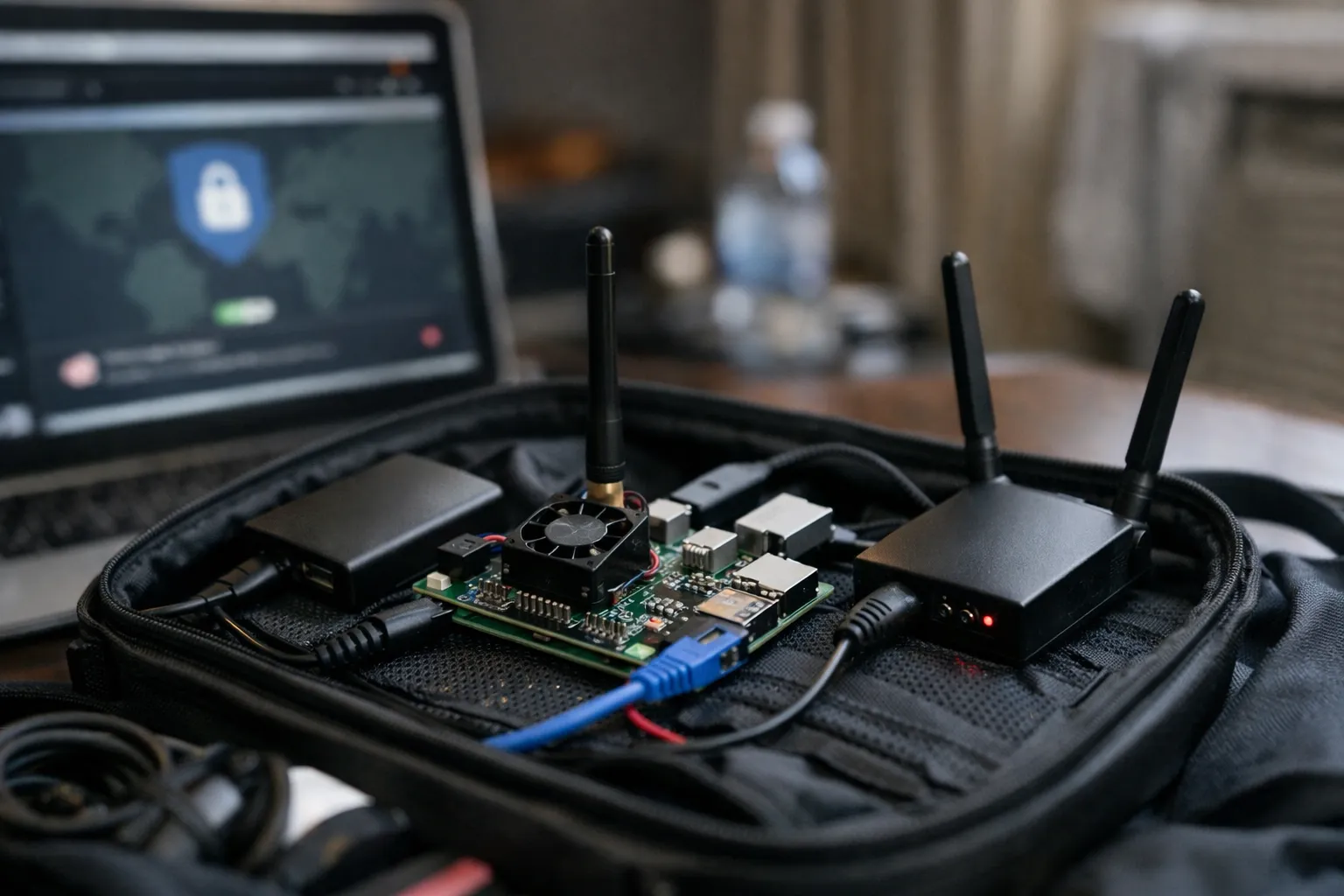
What you will learn: how to build and operate a portable, auditable privacy router optimized for travel in October 2026. This updated guide keeps the original architecture—WireGuard tunnel, LUKS volumes sealed to TPM2, a GPIO kill-switch, per-device routing and cellular fallback—but adds current best practices, modern threat-context and implementation tips that reflect developments through 2026.
Who this is for: VPN enthusiasts and power users who are comfortable with Linux, trust models, and hardware tinkering. If you want a small, repairable device you control (rather than a commercial all-in-one travel router), this guide is for you.
Prerequisites and context — what changed since mid-2026
Two practical market and technical shifts matter for this build:
- WireGuard is now a de facto standard across consumer and commercial VPN providers; most major services offer native WireGuard profiles and improved mobile client support.
- Hardware TPM usage and measured/unattested boot practices have become more common for small-form devices. Tools like systemd-cryptenroll and tpm2-tools are more mature, but Raspberry Pi hardware still lacks a universal, immutable secure-boot root on many models—so sealing keys to TPM PCRs and using a PIN or manual unlock remains prudent.
Operationally, eSIM and multi-SIM cellular modems have become mainstream for travel. If you plan to rely on cellular failover, prefer modems and providers that support eSIM and offer clear data-usage controls.
Hardware and software checklist (2026)
- Raspberry Pi 5 (still an excellent choice for travel hardware) or a later Pi-compatible board—confirm TPM HAT compatibility and driver support for your exact SBC if you pick a newer model.
- USB-C power supply or battery pack with pass-through charging. Metal case recommended for thermal stability.
- microSD for boot + optional external NVMe/USB SSD for encrypted storage (store sensitive keys on the SSD).
- TPM 2.0 module compatible with your board (Infineon SLB 9670 and compatible HATs remain widely supported). Verify up-to-date kernel and tpm2-tools support.
- Cellular modem with eSIM support (USB or M.2) — modern Quectel and Sierra Wireless modules commonly used; ensure Linux driver availability for your kernel.
- Small mechanical toggle or slide switch wired to an available GPIO pin (10k pull-up recommended) for the physical kill-switch.
- WireGuard-capable VPN provider or your own WireGuard server. Consider providers that publish official WireGuard configuration formats and support short-lived keys or dynamic endpoints.
- 64-bit Linux distribution with current kernel and systemd — Ubuntu Server 24.04 remains a solid option; alternatives like Debian or Raspberry Pi OS 64-bit are acceptable if current and patched.
Step 1 — Base OS, partitioning and encrypted storage
- Install a recent 64-bit OS and fully update packages (apt/dnf upgrade). Use unattended-upgrades but test updates before long trips.
- Create a non-root admin user, disable password SSH root login and prefer SSH key access. Add hardware-backed SSH (FIDO2 / YubiKey) for second-factor admin logins—this reduces risk if credentials leak.
- Install essential packages: wireguard-tools, nftables, iproute2, systemd-networkd or NetworkManager, tpm2-tools, cryptsetup, and a modern DNS stub (cloudflared or stubby) or Unbound.
- Provision an external SSD and create a LUKS container: cryptsetup luksFormat /dev/sdX. Use systemd-cryptenroll --tpm2 to add a TPM2 auto-unlock slot. For stronger protection, bind the TPM object to PCR values and add a PIN with --tpm2-pcr to require a manual step at boot.
- Move /etc/wireguard and private keys into the unlocked LUKS volume so private keys never reside on unencrypted media.
Why: TPM sealing prevents an attacker who steals the SSD from directly reading private keys. PCR binding increases assurance that the same firmware/bootloader state is present before the TPM will release keys. A manual PIN blocks silent unlocks if the device is stolen while powered off.
Step 2 — WireGuard: configuration and secure key handling
- Generate keys within the mounted LUKS volume: wg genkey | tee privatekey | wg pubkey > publickey.
- Prefer stable remote endpoints with DNS names. If your environment is highly mobile, consider a WireGuard server behind a dynamic DNS or a managed service with a stable endpoint.
- Tune MTU: start with 1420 and test using ping with DF set. Modern carrier networks and tethering often still need MTU adjustments—verify with end-to-end tests.
- Avoid storing long-lived plain preshared keys on unencrypted media; rotate keys if endpoints change frequently. Many providers now support short-lived keys or API-driven key rotation—take advantage if available.
- Consider WireGuard-over-QUIC or TCP fallbacks only for captive portals and restrictive networks. These implementations (community and some vendor offerings) can help traverse aggressive middleboxes but remain less battle-tested than standard UDP WireGuard. Use them as a secondary option.
Why: Keeping keys within encrypted storage and using proper MTU improves reliability and reduces leak surface. Rotating keys and leveraging provider features increases operational security for travel use.
Step 3 — Implement a GPIO-based hardware kill-switch
- Wire a latching or momentary switch between a chosen GPIO pin and ground with a 10k pull-up. Use a small enclosure with clearly labeled positions.
- Use libgpiod or a minimal Python daemon run as a systemd service to monitor the GPIO. When triggered, either:
- Bring down the WireGuard interface (wg-quick down) to stop tunneled traffic but keep local LAN active, or
- Replace nftables rules with a “drop-all” ruleset to mute all WAN traffic (true airplane mode).
- Protect the kill-switch service: restrict who can stop/start it via systemd policy, and log each state change to a local tamper-evident log (append-only file on the encrypted volume or remote syslog via the VPN when active).
Why: A hardware control that you can physically verify is one of the strongest mitigations against covert remote reconfiguration or software misbehavior while traveling.
Step 4 — Per-device policy routing (who uses the VPN vs direct)
- Assign predictable addresses: reserve DHCP leases (by MAC) or give static IPs to devices you will classify (phones, cameras, IoT).
- Mark traffic with nftables (recommended) or iptables mangle. Example (nft): nft add rule ip filter prerouting ip saddr 192.168.4.10 mark set 0x1.
- Create an ip rule and routing table: ip rule add fwmark 0x1 table 200; ip route add default dev wg0 table 200 via
- Test thoroughly: ensure that devices forced through the VPN cannot reach the internet if the VPN is down (fail-safe) unless you explicitly permit fallback.
Why: Per-device policies let you protect sensitive clients while reducing cellular data usage from low-value IoT traffic and keeping local devices reachable on local networks.
Step 5 — Cellular failover, eSIM and automatic reconnection
- Prefer eSIM-capable cellular modules and plans for travel flexibility—you can provision temporary local plans without physical SIM swaps in many destinations.
- Configure two WAN profiles in your network manager: primary (Wi‑Fi/Ethernet) and cellular. Use a small health-checker (systemd timer + curl/ping to your WireGuard server) to flip default routes on failure.
- Run WireGuard over the active uplink. Use PersistentKeepalive=25 to keep NAT mappings on cellular. If your modem provides only IPv6, ensure your VPN supports IPv6 or deploy translation (NAT64/464XLAT) as needed.
- Apply data controls: rate limits and connection-class policies (nftables) to avoid unexpectedly large cellular bills—limit bulk syncs, P2P, and cloud backups when on cellular.
Why: eSIM and better modem support reduce downtime and simplify roaming. Automated, tested failover ensures your tunnel reattaches reliably without manual intervention.
Step 6 — DNS hardening and leak prevention
- Run a local resolver/stub (Unbound, cloudflared, or a small DoH/DoT forwarder) and force clients to use it through DHCP options.
- Bind the resolver’s upstream egress to the VPN interface or mark its traffic and route it via the VPN table to avoid upstream DNS leaks.
- Block all outbound DNS (UDP/TCP 53, and DoH/DoT to external resolvers) except from the local resolver to prevent client bypasses. Also block direct DoH destinations when not allowed by policy.
- Consider that modern browsers and OSes may implement DoH; use firewall rules to prevent direct DoH to third-party resolvers unless you want that behavior.
Why: DNS continues to be the most common leakage vector. A properly-configured local resolver plus firewall controls prevents accidental leaks in hostile networks.
Operational hygiene, testing and recovery
- Before travel: run leak tests (IP and DNS) using multiple services and check your WireGuard server logs for expected client IPs.
- Verify kill-switch behavior and document the expected commands and systemd states so you can troubleshoot remotely.
- Simulate failure modes: remove the SSD, reboot, and confirm no private keys are exposed on the unencrypted filesystem.
- Back up your WireGuard private key and config in encrypted form: store an offline encrypted copy (password manager with hardware key support or an encrypted USB key in a safe place). Document TPM recovery/re-enroll steps if you rely on TPM auto-unlock.
- Log minimally but use structured logs for events like VPN attach/detach, kill-switch toggles and failed admin attempts. If you send telemetry to a remote aggregator, exclude keys and sensitive state.
Security hardening and maintenance
- Keep packages updated and test updates before extended trips. If you depend on remote management, have a physical maintenance mode (flip the kill-switch to open) for safe upgrades.
- Prefer a default-deny firewall posture in nftables for FORWARD/INPUT, and allow only necessary management ports from a management VLAN or VPN-connected bastion host.
- Use hardware-backed admin authentication (SSH with FIDO2 keys) and rotate admin keys periodically.
- Understand the limitations: many Pi models still lack a hardware root-of-trust identical to enterprise-class platforms. TPM sealing with PCRs raises the bar but does not replace measured secure boot on all boards.
Common mistakes to avoid
- Storing WireGuard private keys on the SD card or unencrypted partitions—always generate and store keys on the encrypted volume.
- Assuming auto-unlock via TPM alone is adequate—use PCR binding or a manual PIN if you need protection against stolen-but-booted devices.
- Not testing failover or kill-switch behavior before travel. These are the most common usability failures in the field.
- Allowing unrestricted outbound DNS/DoH from clients which bypasses your resolver and defeats leak prevention.
Pro tips
- Use a small managed switch or travel AP to split device classes (secure vs open SSIDs) and simplify per-device policies.
- Keep a secondary offline admin recovery method (a second YubiKey or encrypted backup) to avoid lockouts if the primary key is lost.
- Automate daily health checks and an optional remote status report emailed to you via an encrypted channel when on trusted networks.
- Label switches and provide a simple LED indicator for VPN and cellular states—visual feedback saves time during travel.
FAQ — common questions
Is Raspberry Pi 5 still a good choice in late 2026?
Yes. Raspberry Pi 5 remains a practical, energy-efficient platform for a travel privacy router. If you choose a newer SBC, verify TPM compatibility, kernel support and vendor driver availability for cellular modems before committing.
Does TPM sealing guarantee my keys are safe if the device is stolen?
TPM sealing greatly increases protection by binding keys to the device. For higher assurance, bind to PCRs and require a manual PIN. However, if an attacker can alter the boot path or has physical access to a device without measured boot protections, risks remain. Treat TPM sealing as one strong layer among others.
Should I use WireGuard-over-QUIC or similar fallbacks?
Use QUIC/TCP fallbacks only when necessary (e.g., captive portals or networks that block UDP). They can improve connectivity in hostile networks but are generally less battle-tested than standard UDP WireGuard. Treat them as a secondary option and verify interoperability with your server.
How do I avoid large cellular bills when the router switches to mobile data?
Use eSIM-capable plans with clear data limits, configure nftables rate-limits and exclude heavy services from running on cellular. Test the failover behavior and monitor data usage with a local quota service or modem API.
Can I manage the router remotely while traveling?
Yes—if you expose a management endpoint reachable only via the VPN or a bastion host—and protect it with FIDO2-backed SSH keys and strict firewall rules. Always have a physical maintenance mode (kill-switch) you can use to safely upgrade or recover the device.
Wrap-up
This October 2026 update keeps the original design philosophy—portable, auditable, and under your control—while incorporating practical 2026 realities: broader WireGuard adoption, eSIM-capable cellular modems, and more mature TPM tooling. The combination of TPM-sealed LUKS storage, a physical kill-switch, per-device routing policies and careful operational hygiene provides a strong, travel-oriented privacy posture without depending on opaque, consumer-grade appliances.
Follow the steps, test aggressively in all failure modes, and document recovery procedures. With modest hardware and disciplined testing, you’ll have a travel-ready privacy router that’s resilient, auditable and suitable for demanding privacy-conscious travelers.