
Introduction — What you’ll learn and who this is for
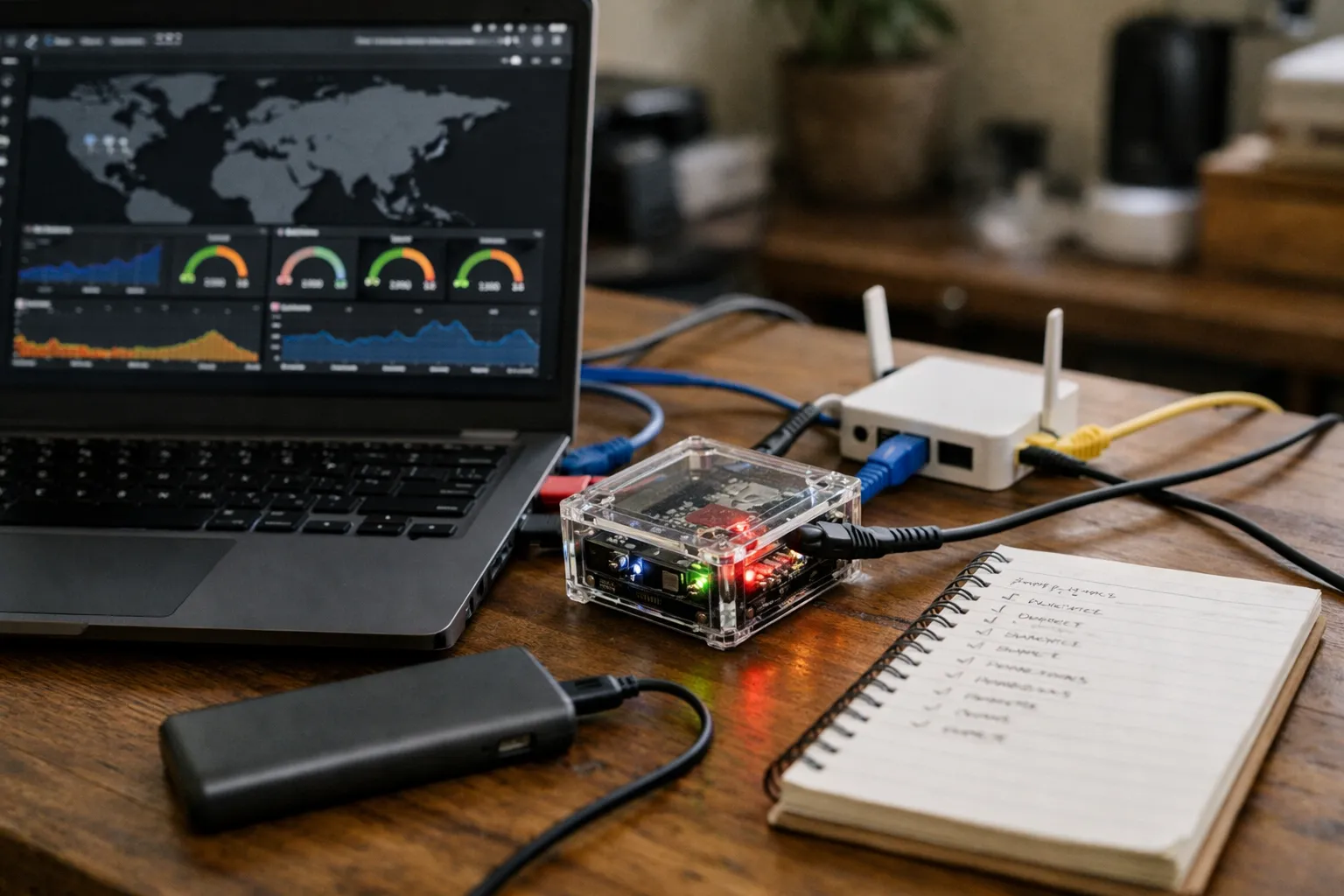
This August 2026 update shows how to build an automated, reproducible VPN testing lab that detects routing and identity leaks, validates encrypted DNS behavior (DoH/DoT/DoQ), tests ECH and WebRTC/STUN surfaces, and measures TCP/QUIC performance under controlled conditions. It’s written for VPN enthusiasts, security researchers, operators at small providers, and engineers who need objective, repeatable results rather than ad‑hoc checks.
Why this matters now: between 2022–2026 the ecosystem shifted: encrypted DNS (including DNS-over-QUIC) moved into mainstream clients and resolvers, HTTP/3 (QUIC) traffic dominated many workloads, and Encrypted Client Hello (ECH) deployment became consequential for user privacy and troubleshooting. These changes mean classic leak surfaces and perf characteristics now behave differently across client stacks, OS versions, and provider transports. A repeatable lab helps you separate provider behavior from client, OS, or CDN effects.
Prerequisites and context
Before you begin, ensure you have:
- A Linux controller host (Ubuntu 22.04+/Debian 12+ recommended) with at least 8 GB RAM and 4 vCPUs for modest parallel runs; larger fleets should use >16 GB and CPU scaling.
- Familiarity with container tooling (Docker/Podman), orchestration (Docker Compose, Nomad, or Kubernetes), and network tools (iproute2, nftables/iptables, tcpdump).
- Access to at least one public test endpoint you control (iperf3, HTTP/3-capable HTTP server, and a DNS responder that can accept DoH/DoQ). Public testbeds such as M‑Lab and RIPE Atlas are useful for baselines—follow their terms of use.
- Recipes for every client/provider configuration with credentials and secrets stored separately (use a secrets manager such as HashiCorp Vault or cloud KMS).
Context note: industry measurement platforms (M‑Lab, RIPE Atlas) and provider telemetry posts (Cloudflare, APNIC, Mozilla) have tracked increasing QUIC and encrypted DNS adoption since 2022; include both public testbeds and private servers to disambiguate CDN effects from VPN egress behavior.
Step 1 — Choose a modern, reproducible architecture
Recommendation for Aug 2026: favor ephemeral, containerized test runners and hybrid vantage points (cloud + inexpensive ARM devices) to reproduce client diversity.
- Controller: a single Linux orchestration host running a scheduler (Docker Compose for small labs; Nomad or Kubernetes for scale). Use GitOps for manifests and a CI/CD pipeline (self-hosted GitLab/GitHub Actions) for scheduled runs.
- Test runners: build immutable OCI images that run one test suite per container. When you need full network namespaces and real interface behavior, spin a small VM (KVM/libvirt) per run to avoid host-side interference.
- Vantage points: include cloud VMs (Hetzner, GCP, AWS or Azure) in the regions you need. Tag results with region, instance type and egress ASN to detect peering/egress differences.
- Physical diversity: add at least one ARM SBC (Raspberry Pi 4/5 or RockPro64) and physical mobile devices (Android via adb; iOS via local device or a device farm) to capture OS-specific networking behaviors.
Step 2 — Updated toolset (Aug 2026)
Use open-source tools and modern observability stacks. Here are recommended, actively maintained components and why they matter:
- Throughput & latency: iperf3 for TCP/UDP; fortio or curl --http3 for HTTP/3 (QUIC) tests; qperf remains useful for QUIC-aware checks. Use tc/netem to simulate adverse conditions (loss, latency).
- Packet capture & tracing: tcpdump/tshark for PCAPs; eBPF-based observability (Cilium/Hubble, bpftools, bpftrace) for low-overhead flow sampling and socket-level visibility.
- DNS and resolver testing: dig and DNS perf tools for classic DNS; curl (DoH), doh-client implementations and a DoQ client (based on quic-go or quiche test clients) to validate DNS-over-QUIC behavior—DoQ adoption rose through 2024–2026, so test it explicitly.
- Browser & app tests: Playwright (headless Chromium) for WebRTC/STUN and ECH checks; use headless WebKit or real mobile browsers for platform-specific checks. Capture TLS ClientHello and ECH negotiation evidence where possible.
- Automation & storage: Prometheus + Grafana for metrics, Loki or Elasticsearch for structured logs, and S3-compatible object storage for PCAPs and artifacts. Store checksums for artifacts for auditability.
- Orchestration: pin images by digest (SHA256), store manifests in Git, and use runners that create ephemeral environments per test to guarantee clean state.
Step 3 — Build a minimal, auditable test runner image
Why: immutable containers improve reproducibility and make it easier to sign and verify artifacts.
- Create an OCI image that installs only the tools you need (curl, iperf3, qperf, tcpdump, Playwright runtime). Start from a small base (debian:bookworm-slim or ubuntu minimal).
- Provide a single entrypoint that runs a defined test plan and outputs a JSON summary plus artifacts (PCAP, Playwright logs, iperf stats) to a mounted results directory.
- Pin package versions in the Dockerfile and publish a signed digest. Store the Dockerfile, test scripts, and a CHANGELOG in Git with release tags so runs can be reproduced exactly.
Step 4 — Define reproducible “connection recipes” with metadata
Keep one directory per provider/server target and include:
- Configuration (WireGuard .conf, OpenVPN .ovpn, or client JSON) with secrets injected at runtime—not in source control.
- Pre/post-connect hooks (reset DNS, set MTU, validate routes, enforce iptables rules) so every run has the same environment.
- Metadata JSON: region, expected exit IP ranges (CIDRs), expected ASN, transport type (wireguard/openvpn/quic), client build, and known caveats.
Example layout:
recipes/
  providerA/
    eu-ams-1.wg.conf
    eu-ams-1.meta.json
  providerB/
    us-west-quic.json
    us-west-quic.meta.json
Step 5 — Baseline tests (no VPN) — run every cycle
Always capture a clean baseline before connecting a VPN. This isolates provider effects from background network variability.
- Identity & ASN: query a controlled endpoint (your own HTTP service) returning caller IP and perform a Team Cymru ASN lookup. Storing your own endpoint avoids CDN masking.
- DNS behavior: resolve a canonical list of domains via system resolver and encrypted resolvers (DoH/DoQ/DoT); record resolver IPs and latencies.
- Throughput: iperf3 to your controlled iperf3 server and curl --http3 to your HTTP/3 server for QUIC baseline.
- Browser baseline: Playwright script to collect WebRTC STUN candidates and ECH negotiation logs (if browser supports ECH).
- Kernel/network baseline: capture a 5–15s tcpdump and sample routes with ip route show and ip -6 route show.
Step 6 — VPN-specific tests (run after tunnel is ready)
Wait for an explicit “ready” signal: interface present, public IP changed to expected exit range, default route altered.
1. Identity and routing checks
- Public IP & ASN: compare to recipe expected ranges; flag mismatches immediately.
- Routing: verify ip route and ip rule entries so traffic to test targets uses the tunnel interface; check IPv6 and IPv4 separately.
- Resilience: simulate upstream link flaps and confirm the VPN preserves intended routes or reconnects cleanly.
2. Throughput, latency and QUIC/HTTP/3 awareness
- Run iperf3 (TCP/UDP) and fortio or curl --http3 tests to measure real-world application performance for HTTP/3/QUIC flows; collect median and 95th percentile metrics.
- Traceroute/mtr for hop-level analysis; QUIC traces require server-side logs because QUIC is UDP-based and opaque to classic middleboxes.
3. DNS correctness, encryption and leak detection
- Resolve a canonical domain set via system resolver and encrypted resolvers (DoH/DoQ). Record resolver IPs and ASNs.
- Detect fallback: monitor system resolver configuration (systemd-resolved/NetworkManager) inside the container and use tcpdump to catch DNS packets leaving non-tunnel interfaces.
- Compare answers across resolvers to detect tampering, DNS-based censorship or CDN-induced differences.
4. WebRTC/STUN and ECH tests
- Use Playwright to run a getUserMedia-free RTCPeerConnection page that logs STUN candidates; any public IP outside the exit ASN is a leak candidate.
- Capture TLS ClientHello (in the browser or via a TLS-inspecting test proxy) to determine if ECH was negotiated or if SNI is exposed. Record browser and OS build metadata—ECH support varies by client.
5. Port-blocking, DPI and censorship signals
- Attempt TCP/UDP connects to a catalog of ports and log resets/timeouts. For suspected DPI, compare TLS fingerprints and TCP option sets to known baselines.
- Test geofenced services and CDN-backed endpoints from multiple exits to detect server-side blocking vs egress routing differences.
6. Packet capture & artifact management
- Capture the first 30–60s after connection with tcpdump and an eBPF flow sampler to preserve leak evidence while limiting storage.
- Archive PCAPs to S3-compatible storage (server-side encrypted) and produce derived JSON summaries (DNS queries, STUN candidates, TLS ClientHello metadata) for indexing in Grafana/Loki.
Step 7 — Automation, scheduling and retention
Implement an orchestrator that:
- Creates a fresh container/VM per target, mounts the recipe and results directories, runs baseline, connects the VPN, runs the suite, stores artifacts, and tears down the environment.
- Exports structured metrics to Prometheus and logs to Loki, with artifacts archived to encrypted storage. Tag every result with image digest, manifest commit, provider/client version, OS and device type.
- Schedules health checks frequently (e.g., hourly quick checks) and full sweeps nightly or weekly depending on scale. Keep 90–180 days of aggregated metrics and at least 30–90 days of raw PCAPs; longer if you need forensic history—but balance retention against privacy and storage cost.
Interpreting results — updated heuristics for Aug 2026
- Throughput: repeated >20% degradation vs baseline across multiple vantage points often merits follow-up with the provider; validate across both cloud and home baselines.
- DNS leaks: any DNS query leaving a non‑tunnel interface or resolved by an ISP ASN should be treated as a leak. Short-lived negotiation race conditions are common; require a reproducible window (e.g., >10s) before flagging.
- IPv6: with the continuing rise of IPv6 traffic, explicitly test IPv6 resolution and routing—IPv6-specific leaks are increasingly common.
- WebRTC/STUN: a STUN public IP outside the exit ASN indicates client or local NAT leakage; reproduce on a fresh container and on a physical device to isolate client-specific bugs.
- ECH/DoH behavior: a browser falling back from ECH or encrypted DNS can expose SNI or reveal resolver IPs; log negotiation metrics and browser flags to correlate with policy.
Common mistakes and troubleshooting
- Not isolating resolvers: systemd-resolved and NetworkManager can overwrite resolver settings. Run DNS tests inside the clean runner and control resolver behavior in pre-connect hooks.
- Using CDN-backed public endpoints as single baselines: CDN geo-routing can mask VPN egress anomalies—use private controlled servers as canaries.
- Flagging transients: transient leaks during connect/reconnect are common; require reproducible evidence before reporting.
- Poor metadata: without tags for client build, OS, provider version and image digest, root cause analysis becomes much harder. Record everything.
Pro tips (expert practices)
- Use eBPF-based flow sampling to detect leaks and socket ownership with minimal PCAP storage; Cilium/Hubble and bpftools provide per-socket visibility that helps attribute traffic to processes.
- Simulate adverse network conditions with tc/netem (loss, latency, reordering) to compare provider resilience under real-world degradations.
- Pin client and server binaries to SHA digests; log client build metadata and provider client versions on every run to speed regression tracking.
- Include a “canary” controlled server (HTTP/3 + iperf3 + DoQ) in every run to verify the test environment before trusting comparative measurements.
- When testing mobile clients on iOS, prefer local physical devices or enterprise-signed builds for accurate network extension behavior; device farms (AWS Device Farm, Firebase Test Lab) are useful but may not replicate local carrier NATs.
Ethical, legal and privacy considerations
- Respect provider terms and avoid creating traffic volumes that could be interpreted as abusive. When in doubt, seek permission or use your own test servers.
- Follow measurement platform policies (M‑Lab, RIPE Atlas) and rate limits.
- Redact or encrypt sensitive payloads before archiving. Limit PCAP access to authorized reviewers and publish only anonymized summaries when sharing findings.
- Provide providers with clear reproduction steps and an opportunity to respond before publishing provider-specific failure claims.
Reproducibility and integrity
Keep all scripts, manifests, and recipes in Git with tagged releases. Pin container images, record image digests and commit SHAs, and publish checksums for artifacts if you release results. Describe your cadence, runner OS, and test-server locations so others can reproduce or critique your measurements.
Where to go next
- Compare transports (WireGuard, OpenVPN, QUIC-based proprietary transports) under identical network and endpoint conditions to understand trade-offs for latency, throughput and leak surfaces.
- Automate client-side privacy checks for additional surfaces: OS telemetry endpoints, captive portal interactions, and app-layer leaks from embedded browsers or helper components.
- Correlate test results with provider changelogs and client versions to quickly identify regressions after updates.
FAQ
How often should I run full sweeps versus quick checks?
Run lightweight health checks (public IP, DNS probe, and connect test) hourly or on each client update. Schedule full sweeps (throughput, WebRTC, ECH, PCAP capture) nightly or weekly depending on scale. Frequent quick checks detect regressions fast; full sweeps provide deep artifacts for root cause analysis.
Can I test mobile VPN clients in this lab?
Yes. Include at least one Android device and, if possible, an iOS device. Use adb and Android emulators for Android automation; for iOS prefer a local physical device or a trusted device farm because of signing and network extension behaviors. Mobile stacks often reveal leaks that desktop clients do not.
What’s the most reliable way to detect DNS leaks now that DoQ/DoH are common?
Run resolver checks from inside the isolated runner and capture DNS traffic on all interfaces with short-duration tcpdump plus eBPF sampling. Compare resolver IPs and ASNs against expected exit ASN. Test both encrypted resolvers (DoH/DoQ/DoT) and plain UDP/TCP DNS so you can detect fallbacks or split behavior.
How do I avoid false positives with WebRTC/ECH tests?
Allow a grace period (10–15s) after connection for negotiation to settle, then run Playwright-driven STUN candidate collection and TLS ClientHello inspection. Reproduce findings on a fresh container and on a physical ARM device. If a leak or ECH fallback appears only transiently during handshake, label as transient unless it persists.
Should I publish my test data?
Publishing enhances transparency but requires careful redaction and encryption of sensitive data. Remove or anonymize private IPs, encrypt raw PCAPs, and publish summary metrics with methodology. Give providers a chance to respond to provider-specific findings and include reproduction artifacts to support verification.
Disclaimer: This guide is practical, evidence-based testing advice, not legal counsel. Follow applicable laws and provider terms before running tests. Reproduce responsibly.